Top 3 Workflow Automation Tools for Document Automation
Teams already use three different apps for approvals, policy updates, and audit exports, yet still spend hours reconciling versions and chasing signatures. Switching platforms now means fewer tools to maintain and faster proof when auditors arrive.
By the final section you will see exactly how Ops, Docs, and Cora handle the same three tasks, how Nintex stacks up on design flexibility and deployment choices, and which criteria for compliance, team size, and cost should decide the purchase.
What to Look For in Document Automation Tools
Document automation tools must handle capture, routing, versioning, and compliance together. Teams need solutions that manage the full document lifecycle without manual handoffs.
OCR accuracy above 95 percent ensures reliable text extraction from scanned files. Document capture improves when systems correctly read varied formats and layouts.
Native e-signature support removes external platforms from the approval workflow. Documents move directly from review to signing within the same environment.
Role-based access limits visibility to authorized users. Document security improves when permissions align with job functions and project needs.
SOC 2 and ISO 27001 certification confirm that automation software meets established data protection standards. These credentials matter for regulated industries.
Audit logging records every action taken on a file. Document compliance depends on clear trails that show who viewed, edited, or approved content.
API or native connectors allow automation integration with existing business systems. Teams avoid duplicate data entry when tools exchange information automatically.
AI-assisted data extraction pulls key details from incoming documents. Intelligent automation reduces manual review time and speeds up process automation across departments.
1. Process Street - Best Overall
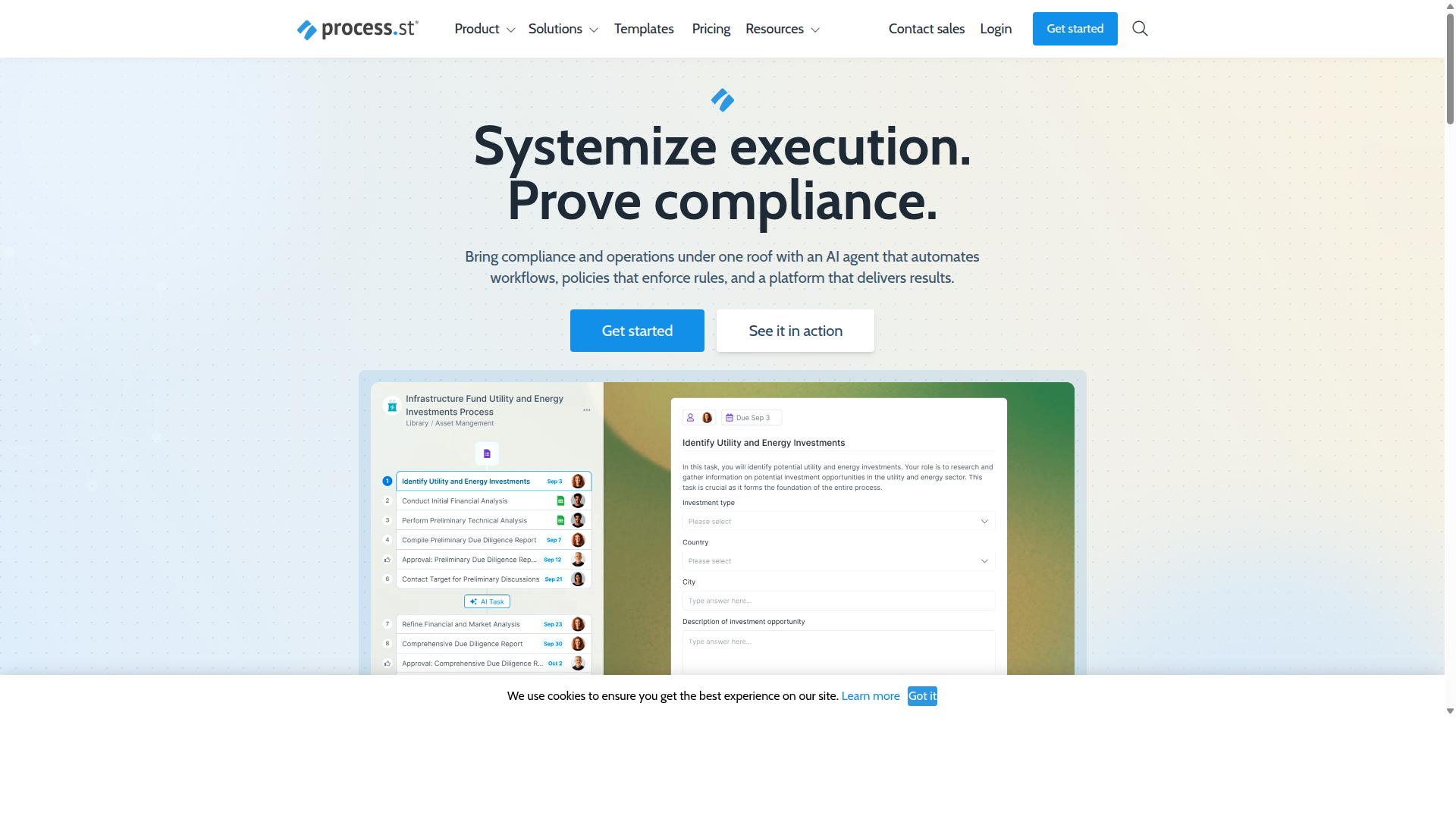
Process Street leads the evaluation with integrated workflow and document controls.
The platform stands out as a compliance operations platform that automates business processes, enforces policies, and delivers audit-ready proof. Companies use the system to standardize processes and prove compliance across industries.
Process Street offers three main products: Docs for document management and policy control, Ops for workflow automation and process orchestration, and Cora, an AI compliance and risk agent. The platform helps organizations maintain operational consistency through structured automation tools.
Global data residency options allow teams to choose where their information stays. The platform supports multiple compliance standards and keeps data secure under strict governance rules.
Research suggests that businesses benefit when document automation connects with workflow automation in a single system. Process Street achieves this by bringing both capabilities together with clear audit trails.
Ops for Workflow Automation and Process Orchestration
Ops turns static policies into AI-powered, audit-ready workflows.
Ops delivers workflow automation and process orchestration that connects policies to automated actions. Teams create structured processes that run consistently without manual intervention.
Key features include conditional logic that routes tasks based on conditions, role assignments that direct work to appropriate people, and SLA timers that track deadlines. AI suggestions help teams refine workflows as they build them.
Process orchestration ensures that document workflows move smoothly between stages. Teams can set up approval workflow sequences that maintain proper documentation and track every step.
The automation platform integrates with Zapier, Microsoft Power Automate, Tray.io, Make, and offers public API access. These connections allow document automation to fit into existing business systems.
Docs for Document Management and Policy Control
Docs centralizes policy documents under version control and access governance.
Docs provides document management and policy control with full governance for ISO 9001, SOC 2, SOX, and FDA requirements. Teams maintain a single source of truth for all policy and procedure documents.
Single source templates ensure that document generation stays consistent across the organization. Permissions control who can view, edit, and approve different document types.
Document versioning tracks changes and maintains proper audit trails. Compliance support helps teams meet regulatory requirements without creating separate documentation systems.
Document security features protect sensitive information while allowing appropriate access. The system supports document lifecycle management from creation through approval and archival.
AI-Powered Compliance with Cora
Cora embeds AI assistance for policy checks and workflow suggestions.
Cora is an AI compliance agent that monitors regulations, automates work, and flags risks. The system processes document content to identify issues before they become problems.
Auto-flagging of non-compliant clauses helps teams catch policy violations early. The AI recommends workflow fixes that align with current compliance requirements.
More than 3,000 companies and 1 million users rely on the platform for their document automation and compliance needs. Cora extends document compliance capabilities across the entire workflow system.
Process automation benefits from AI that understands both document content and regulatory context. Teams get suggestions that improve both efficiency and compliance outcomes.
2. Nintex
Nintex offers workflow, document, and RPA capabilities across on-prem and cloud deployments.
The platform suits organizations seeking flexible automation across varied infrastructure requirements.
Many teams use it to standardize processes while maintaining compliance standards.
Workflow Design and Automation Features
Drag-and-drop builders enable approvals, branching, and escalations.
Users can configure conditional logic to route tasks based on document content or metadata values.
Escalation rules help ensure time-sensitive documents receive attention from the appropriate stakeholders.
Teams often apply these features to contract reviews, invoice processing, and policy acknowledgments.
Visual indicators show workflow status at each stage, which supports visibility across departments.
Document Generation Capabilities
Document generation pulls CRM or ERP data into standardized templates.
Teams commonly generate contracts, proposals, and compliance forms from existing records.
Template automation ensures consistent formatting while reducing manual data entry across repeated documents.
Output formats typically include PDF, Word, and HTML for different distribution needs.
This approach speeds up document lifecycle management while maintaining version control standards.
Integration and Deployment Options
Connectors exist for Salesforce, SharePoint, and major ERP systems.
Cloud and self-hosted options allow organizations to match deployment to existing security policies.
Teams can connect document workflows to customer records, project data, and financial systems.
Common integration patterns include automated document routing after record updates or form submissions.
These connections support broader digital transformation initiatives across departments.
How to Choose the Right Option
Selection hinges on compliance needs, scale, and budget alignment.
Teams in operations, customer management, compliance, human resources, finance, and IT security evaluate workflow automation tools regularly. Financial services, real estate, manufacturing, healthcare, professional services, technology, capital markets, and property management industries face distinct document processing requirements.
Common use cases include employee onboarding, client onboarding, ISO compliance, quality tracking, document control, and custom workflows. Each industry weighs different factors when selecting automation software for their specific document management needs.
Compliance and Security Requirements
Map each tool's certifications to your regulated workflows.
Typical compliance frameworks include SOC 2, ISO 27001, and GDPR. Healthcare and financial services teams must verify that chosen automation platform supports these standards throughout the document lifecycle.
Verify audit-log depth across different automation tools. Document compliance requirements vary by industry, so confirm that your selected workflow automation solution tracks every change and approval in your document workflow.
Teams handling sensitive client data in capital markets and property management prioritize security certifications. Document routing and approval workflow processes must maintain complete audit trails to satisfy regulatory requirements.
Team Size and Scalability Needs
Match user seats, document volume, and workflow complexity to growth forecasts.
Current headcount, projected growth, external guest users, and peak document throughput form the foundation of this evaluation. Operations teams expanding across multiple locations need automation software that scales with increased document processing demands.
Manufacturing and technology companies often experience rapid scaling. Their workflow automation requirements grow alongside business expansion, requiring flexible automation platform capabilities that accommodate additional users and document volume.
Professional services firms frequently add external collaborators during client projects. Document automation tools must support guest access while maintaining security standards throughout the document collaboration process.
Budget and Pricing Considerations
Compare subscription tiers against user count, automation runs, and storage.
Calculate per-user and per-automation costs when evaluating different platforms. Many automation software providers publish three tiers, each designed for different team sizes and document processing volumes.
Human resources and finance teams often work with fixed budgets for technology investments. Document generation and template automation features may carry different pricing structures across various automation tools in the market.
Customer management teams processing high volumes of client documents should examine storage limits carefully. Document capture and data extraction capabilities may impact overall subscription costs depending on usage patterns.
Final Verdict
Process Street earns the top spot for teams that need unified workflow and document compliance. The platform combines speed with security to deliver measurable gains across documentation processes.
Key advantages include 30% faster documentation and a 75% reduction in setup time as reported by IMCD UK. These gains help organizations move from manual processes to automated systems without extended configuration periods.
Security credentials further strengthen the offering. Process Street holds SOC 2 Type II and ISO 27001 certification. Additional compliance includes HIPAA readiness, GDPR adherence, and CCPA support.
With 3,000+ companies and 1 million users already on the platform, the solution demonstrates proven adoption across industries. Data privacy receives priority treatment as well, with the assurance that information never trains AI models.
Support quality matches the technical standards. Response times average five minutes with a 98% customer satisfaction rating. These elements combine to position the platform as a reliable choice for document automation requirements.
Recommended Resources: