CTR Manipulation Tool Pricing: CTR Sprout Alternatives Compared
You are comparing CTR tools and the monthly bill is the easy part to misread. Credit models, visit limits and per-campaign controls change what you actually pay for each click, and many platforms leave you guessing whether a visit ever happened.
This article breaks down CTRTool's pricing plans and credit structure, then measures them against what a CTR Sprout alternative needs to deliver. You will see how campaign types, screenshot proof and visit controls differ across plans, and finish with a clear verdict on whether CTRTool fits your budget or whether another tool does.
What Is CTRTool? A CTR Tool With Screenshot Proof for Every Visit
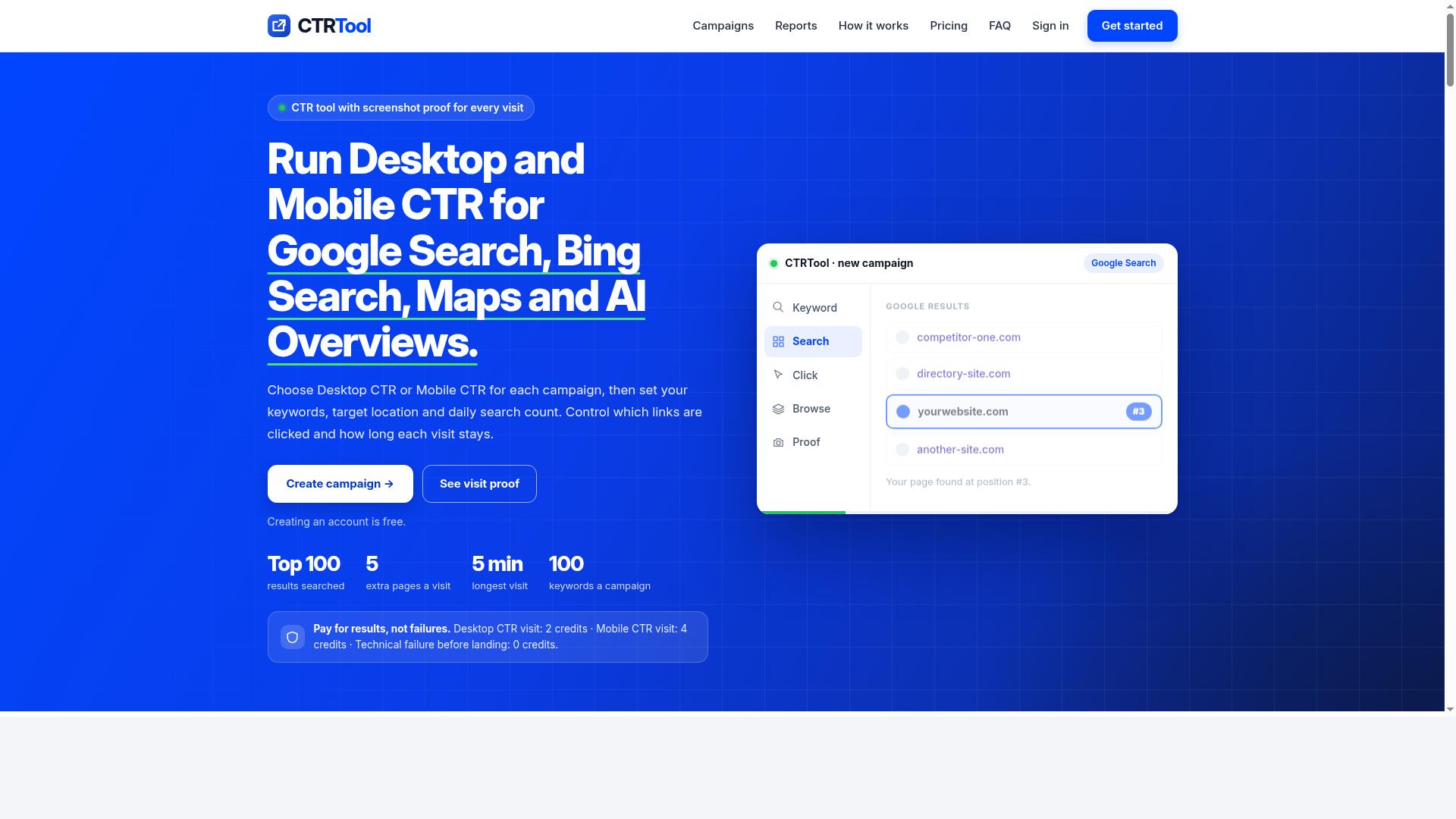
CTRTool is a SaaS platform that runs automated click-through-rate (CTR) campaigns for Google Search, Bing Search, Google Maps and AI Overviews, and it provides a screenshot as proof for every visit. In plain terms, it simulates organic clicks to improve engagement metrics for a target page.
That screenshot is the core differentiator. The CTR manipulation market is crowded with CTR bots that report clicks you can never verify, leaving buyers to trust a dashboard number. CTRTool turns each visit into visual evidence, so you can see what was actually delivered.
Proof matters because unverifiable delivery is the biggest risk in this category. When a vendor cannot show a record of a visit, you have no way to separate real activity from inflated reporting. A screenshot per visit gives campaign managers something concrete to review and, where relevant, to discuss with a client.
Campaigns are not one-size-fits-all. Users choose Desktop CTR or Mobile CTR per campaign, then set keywords, a target location and a daily search count. They also control which links are clicked and how long each visit stays, which shapes session duration and dwell time rather than just raw click volume.
The platform is transparent about limits. Its own site states: "Automated visits do not guarantee rankings." That honesty is worth noting, since CTR work influences user behavior signals but does not override a ranking algorithm on its own.
Who CTRTool Serves: SEO Practitioners and Agencies
CTRTool is built for SEO practitioners and agencies that manage CTR campaigns for their own sites or client properties across Google, Bing, Maps and AI Overviews. The typical user is an in-house SEO, an agency account manager or a consultant who needs to show movement in SERP ranking and organic traffic to stakeholders.
Because each campaign supports a chosen target location, the tool fits both local SEO work, such as a Maps presence for a single service area, and international projects where results differ by region. Desktop and Mobile options per campaign let teams mirror the device mix their audience actually uses.
The site's own guidance references tier links, PBNs and test properties. That signals the product is aimed at users who already understand advanced SEO tactics, not beginners looking for a first introduction to search optimization.
For agencies, the appeal is accountability. A practitioner running campaigns for several client properties can organize work by keyword and location, and the per-visit screenshots give account managers a concrete record to reference during reporting conversations. Consultants working on retainer benefit from the same structure, since each campaign maps to a defined keyword set and geography rather than a vague promise of "more traffic."
Teams weighing CTR manipulation tool pricing against CTR Sprout alternatives should start by asking who will actually run the campaigns. CTRTool is positioned for people who already know how to select keyword targeting, judge search volume and interpret Google Search Console data. If that describes your team, the fit is straightforward.
How CTRTool's Pricing Answers the CTR Sprout Alternative Question
When SEOs search for CTR Sprout alternatives, pricing transparency is often the deciding factor-and CTRTool publishes its full monthly plan structure in USD without hiding costs behind a sales call. That openness matters for anyone weighing a CTR manipulation tool pricing decision, because opaque credit systems make it hard to compare value across options.
CTRTool's entry point is the Starter plan at $59/month for 2,000 credits, which covers up to 1,000 Desktop CTR visits or 500 Mobile CTR visits. Teams that need more volume can move to the Growth plan at $125/month for 5,000 credits, covering up to 2,500 Desktop or 1,250 Mobile visits. Both tiers show exactly what a subscriber gets before any commitment, which is a meaningful contrast to alternatives that require a custom quote.
The credit model itself is laid out clearly: a Desktop CTR visit costs 2 credits, a Mobile CTR visit costs 4 credits, a verified search without a match costs 1 credit, and a technical failure before landing costs 0 credits. That level of detail lets budget-conscious buyers estimate their monthly subscription cost against keyword targeting goals rather than guessing. Unused credits roll over while a subscription stays active, so smaller campaigns are not forced to waste spend.
For readers comparing CTR Sprout alternatives, the practical takeaway is simple. CTRTool publishes monthly plans, per-action credit costs, and rollover rules in one place. Creating an account is free, and the site notes that prices rise 30% on November 15, which gives prospective subscribers a clear reason to evaluate the current rates sooner rather than later.
CTRTool Pricing and Plans: Credits, Visits and Monthly Costs
CTRTool offers monthly subscription tiers, Starter, Growth, Scale and Agency, each defined by a credit allowance that converts to a set number of desktop or mobile visits. The core rule is simple: 1 credit equals one visit, but desktop and mobile visits consume credits at different rates.
Desktop CTR visits cost 2 credits each, while mobile CTR visits cost 4 credits. That means 2,000 credits cover up to 1,000 desktop visits or 500 mobile visits, depending on the device mix you target.
All plans are billed monthly in USD, and the site does not mention an annual discount. Creating an account is free, so you can inspect the dashboard before committing to a paid tier. The page also displays limited launch pricing, noting that prices rise 30% on November 15.
Starter, Growth and Scale: What Each Plan Delivers
The Starter plan costs $59 per month for 2,000 credits, which translates to up to 1,000 desktop CTR visits or 500 mobile CTR visits. It suits solo SEOs testing a handful of keywords before scaling spend.
The Growth plan costs $125 per month for 5,000 credits, covering up to 2,500 desktop or 1,250 mobile visits. The site marks it as Recommended, and it fits small agencies running campaigns across several client keywords.
The Scale plan costs $399 per month for 20,000 credits, equal to 10,000 desktop or 5,000 mobile visits. It targets high-volume campaigns where click frequency and keyword targeting span a large set.
A fourth tier, Agency, costs $699 per month for 40,000 credits, or up to 20,000 desktop or 10,000 mobile visits. Teams managing many accounts can compare it against Scale before choosing.
- Starter: $59/month, 2,000 credits, best for solo SEOs
- Growth: $125/month, 5,000 credits, marked Recommended, best for small agencies
- Scale: $399/month, 20,000 credits, best for high-volume campaigns
- Agency: $699/month, 40,000 credits, best for multi-account teams
The Pay-for-Results Credit Model and Its Practical Limits
CTRTool's credit model charges per visit rather than per campaign, so users must budget credits according to keyword competition and desired click frequency. Every campaign draws from the same pool, which makes burn rate the number to watch.
The cost structure rewards precision. A verified search without a match costs 1 credit, and a technical failure before landing costs 0 credits, so wasted attempts are not billed at full rate. Mobile visits at 4 credits each are the biggest draw, so a mobile-heavy campaign needs a larger allowance.
Practical limits matter. A campaign targeting a high-competition keyword may need more visits before any ranking movement appears, and users should check credit consumption regularly rather than at month end. Estimating needs up front avoids mid-campaign top-ups.
As a rough guide, 500 mobile visits might cover a small local campaign for a month, while broader keyword sets will exhaust a Starter allowance quickly. Unused credits roll over while the subscription is active and expire when cancellation takes effect, based on the site's plan structure, so pausing a plan has a real cost.
For anyone weighing CTR Sprout alternatives on CTR manipulation tool pricing, this per-visit model is transparent: you can calculate exact visit counts per tier before paying. The trade-off is discipline, since click frequency, session duration and dwell time goals all translate into credit spend that must be planned in advance.
Key Features That Set CTRTool Apart From Other CTR Tools
CTRTool differentiates itself through verifiable proof, multi-platform campaign support, and granular visit controls that many CTR bots lack. These are the details that separate it from generic click bots that offer little more than a volume setting and a promise.
Two areas matter most in any feature comparison. The first is campaign types, meaning which platforms and surfaces a tool can actually target. The second is proof and tracking, meaning whether you can confirm that a visit happened and see how positions move over time.
Both areas feed directly into the pricing question. A cheaper subscription cost means little if a tool cannot document its work or support more than one search surface. The sections below break down what CTRTool delivers in each area.
Campaign Types: Google Search, Bing Search, Maps and AI Overviews
CTRTool supports four campaign types: Google Search CTR, Bing Search CTR, Google Maps CTR, and AI Overview CTR, each with its own targeting parameters. That spread matters for any feature comparison, because most CTR bots stop at a single search engine.
Google Search CTR campaigns let you target a keyword and click the organic result, on Desktop or Mobile, across the Top 100 results. You can also point the visit at internal pages, which helps when you want engagement metrics to reflect a real browsing path rather than a single page load.
Bing Search CTR works the same way for Bing. Google Maps CTR instead finds a business listing and clicks its website link, checking up to 50 listings, with city targeting available. AI Overview CTR finds your website in the overview and clicks its source link.
Campaign setup adds another layer of control:
- Up to 100 keywords per campaign
- Country, state and city targeting, or Any country for a mixed audience
- Search depth up to 100
- Daily search counts with now, spread out or gap timing, plus days, hours and time zone
That multi-platform coverage lets users diversify beyond Google Search. A brand can run Google Search and Maps campaigns together, or add Bing and AI Overview work without opening a second account or a second credit balance.
Proof, Tracking and Visit Controls
Every CTRTool visit generates a screenshot of the search results and a separate screenshot of the landing page, giving users visual proof that the click occurred and the page loaded. Reports also include full visit paths, so you can see the route a session took rather than a bare click count.
Keyword positions are tracked over time. That includes Search positions, Maps listing order, and AI citation order, which lets a user watch movement across each campaign type instead of guessing whether anything changed.
Visit controls cover the parameters that shape how a session looks. Campaign setup includes target URL, internal page URLs and link text, click order, scrolling time, and up to five additional pages per visit. Visits can run up to five minutes total, and delivery happens through Desktop Chrome windows and real Android phone sessions matched to the target location through managed proxy routes.
The credit model reinforces the proof system. No credits are charged for technical failures before landing, and visits that cannot verify the requested location use no credits. One credit balance is shared across all campaign types, websites and keywords, and unused credits roll over while a subscription stays active.
Together, these mechanics help users verify campaign performance and adjust strategy. When a screenshot, a visit path, and a position history all line up, the question of whether a click-through rate tool is doing real work becomes far easier to answer.
Trust Signals: Transparency in Place of Testimonials
CTRTool does not display customer testimonials or case studies on its site; instead, it relies on transparent documentation and per-visit screenshot proof to build trust. This is a deliberate choice. Rather than leaning on quotes from unnamed users, the platform points buyers toward artifacts they can check for themselves.
For a category dogged by CTR bots and unverifiable claims, that approach is worth noting. Anyone comparing CTR manipulation tool pricing has likely seen vendors promise the world with nothing to back it up. CTRTool takes a different route by making the proof part of the product experience.
The site also keeps its legal house in order. A dedicated legal notices page sits at ctrtool.com/licenses.html, alongside terms of use, so visitors can read the rules before committing to any pricing plans. That is a small detail, but it signals a company willing to be held to written terms.
Direct contact is available too. CTRTool lists a support email on its site, giving skeptical buyers a way to ask questions before spending on a subscription cost. For SEOs who have been burned by fly-by-night tools, that open channel matters more than a wall of glowing quotes.
None of this means testimonials are bad. It simply means CTRTool competes on verifiable proof rather than social proof. Screenshots of individual visits, clear legal pages, and a working support address form a quieter but sturdier trust stack for a click-through rate tool.
For readers weighing CTR Sprout alternatives, the lesson is practical: check what a vendor lets you verify. A tool that shows its work, publishes its terms, and answers email is easier to evaluate than one that only shows praise.
Who Should Use CTRTool - and Who Should Look Elsewhere
CTRTool is best suited for SEO professionals and agencies that need verifiable CTR campaigns across multiple search platforms and are comfortable with a credit-based monthly subscription. The platform is built around running click-through rate campaigns for websites you own or manage, and its target audience is clearly defined: SEO practitioners and agencies running campaigns for their own or client properties.
That focus shapes both the strengths and the limits of the tool. If your work involves managing search visibility across several platforms, the fit is strong. If you need a low-commitment entry point or a free way to test the waters, the model works against you.
Ideal users share a few common traits: they run campaigns at volume, they answer to clients or stakeholders, and they value campaigns they can verify rather than guess at. CTRTool covers Google Search, Bing Search, Google Maps and AI Overviews, which makes it a practical single home for multi-platform work.
- Agencies managing client sites: teams that run campaigns for multiple properties and need one workflow across accounts.
- Local SEOs targeting Maps: practitioners focused on Google Maps visibility, where local click behavior matters to how listings perform.
- International SEOs needing geo-targeting: campaigns that must reach users in specific regions rather than a single domestic audience.
- Practitioners using tier links, PBNs and test properties: the site's own guidance speaks to these setups, so users already working in that style will find the tool aligned with their methods.
Across all four groups, the common thread is a professional context: campaigns run on behalf of a business, not idle experimentation. That is the audience the product is designed around.
Who should look elsewhere is just as clear. CTRTool runs on a credit-based monthly subscription, and that structure does not suit every buyer. Being honest about the mismatch saves time on both sides.
- Users seeking a free trial: if trying before paying is a hard requirement, the subscription model will not meet that expectation.
- Very tight budgets needing pay-per-click pricing: buyers who want to pay only for what they use, rather than commit to monthly billing, will find a credit subscription a poor fit.
- Anyone uncomfortable with automated clicks: if the idea of automated click activity sits badly with you, no pricing tier will change that, and you should not force the fit.
None of these are flaws in the product. They are simply different buying preferences, and matching the model to your situation matters more than chasing the lowest headline cost.
The deciding question is straightforward: do you run recurring, multi-platform campaigns for real properties, and are you at ease with a subscription and automated clicks? If yes, CTRTool is built for exactly that profile. If you need a free trial, strict pay-per-click billing, or you are uneasy with automation, look elsewhere without hesitation.
For the right user, the alignment is strong. The tool targets SEO practitioners and agencies working across Google Search, Bing Search, Google Maps and AI Overviews, and its credit-based monthly model reflects a professional, ongoing workflow rather than a one-off experiment. Choose it when your work matches that shape, and skip it when it does not.
Final Verdict: Is CTRTool the Right CTR Sprout Alternative for Your Budget?
CTRTool presents a compelling alternative to CTR Sprout for SEOs who prioritize proof and multi-platform support, but its credit-based pricing requires careful budget planning. The tool's core appeal is simple: every visit is backed by screenshot proof, so you can verify delivery rather than take a vendor's word for it.
That emphasis on accountability matters in a niche where click fraud concerns and vague reporting are common complaints. For teams comparing CTR Sprout alternatives, verifiable delivery is often the deciding factor.
CTRTool also covers four distinct campaign types, letting you run activity across Google, Bing, Maps, and AI Overviews from one place. That breadth supports a more complete feature comparison than single-platform tools, especially for local SEOs who need Maps visibility alongside traditional SERP ranking work.
Pricing is transparent, with no hidden tiers or surprise add-ons buried in fine print. You can map subscription cost against your expected campaign volume before committing, which makes competitor analysis against CTR Sprout far easier to run on equal terms.
The trade-offs are worth stating plainly. There is no free trial, so you cannot test delivery quality before spending. Credits are consumed on a monthly basis, which means unused volume does not roll forward indefinitely in the way some buyers assume.
Mobile visits also cost double, a detail that matters if your keyword targeting skews toward smartphone traffic. Plan your monthly billing around device mix, not just raw click counts, or your effective cost per visit will climb.
- Strengths: screenshot proof for every visit, four campaign types, transparent pricing
- Limitations: no free trial, monthly credit consumption, mobile visits cost double
Choose CTRTool if you need verifiable visits and run campaigns across Google, Bing, Maps, and AI Overviews. The screenshot proof and multi-platform reach justify the credit model for teams that value accountability over the lowest headline price.
Consider alternatives only if a free trial is non-negotiable or you insist on pure pay-per-click billing. Those are legitimate preferences, but they trade away the verification layer that makes CTRTool stand out.
On balance, CTRTool is a credible, transparent option for SEOs who want proof behind their engagement metrics and support across multiple surfaces. For specific questions about plans, credits, or campaign setup, contact support directly at vaibhav@autoblogging.ai.
Frequently Asked Questions
How does CTRTool's pricing compare with CTR Sprout's?
CTRTool publishes clear monthly USD plans: Starter at $59/month for 2,000 credits (up to 1,000 Desktop CTR visits or 500 Mobile CTR visits) and Growth at $125/month for 5,000 credits (up to 2,500 Desktop or 1,250 Mobile visits). Because credits are pay-for-results, you can compare your expected visit volume against these tiers directly. For CTR Sprout's current pricing, check their official site, as we don't publish or guess competitor rates here.
What exactly do I get for the money with CTRTool?
Every campaign runs on Google Search, Bing Search, Maps or AI Overviews with screenshot proof for every visit - search and landing screenshots as separate proof images - plus full visit paths and keyword position tracking over time, including Maps listing order and AI citation order. You choose Desktop CTR or Mobile CTR per campaign, set keywords and target a country with optional state and city. That combination of verifiable proof and flexible targeting is what the plans pay for.
Are there cheaper alternatives to CTR Sprout, and is CTRTool one of them?
CTRTool's entry plan starts at $59/month for 2,000 credits, which makes it a straightforward option to evaluate alongside CTR Sprout. Rather than comparing headline prices alone, weigh what each tool delivers per credit - for CTRTool that means screenshot proof for every visit and tracked keyword positions. We can't speak to competitor pricing or features, so verify those on their official sites before deciding.
How many visits will a plan actually deliver?
Credits convert differently by device: the Starter plan's 2,000 credits cover up to 1,000 Desktop CTR visits or 500 Mobile CTR visits, and Growth's 5,000 credits cover up to 2,500 Desktop or 1,250 Mobile visits. Choose Desktop CTR or Mobile CTR per campaign based on your goals. If you're unsure which tier fits your keyword volume, contact support at vaibhav@autoblogging.ai.
Can I run campaigns for client sites and multiple locations?
Yes - CTRTool is built for SEO practitioners and agencies running campaigns for their own or client websites. Campaigns can target a chosen country with an optional state and city, or "Any country" to use a mix of supported locations, and the service is available globally with no stated country restrictions. Each campaign lets you set its own keywords and targeting.
What proof do I receive that the clicks actually happened?
CTRTool provides screenshot proof for every visit, with search and landing screenshots delivered as separate proof images, plus full visit paths. Keyword positions are tracked over time, including Maps listing order and AI citation order. Note the eligibility rules: the page must appear in the top 100 organic results for the chosen keyword and location, Maps campaigns check up to 50 listings, and AI Overview campaigns need a matching source link.